The two numbers the plan forgot.
You measure from the corner, not from somewhere near it. So does PlanTape. Open a PDF plan, and ten seconds later you have a dimension you would put your name to.
No account · No cloud · Works offline · iPhone, iOS 26+
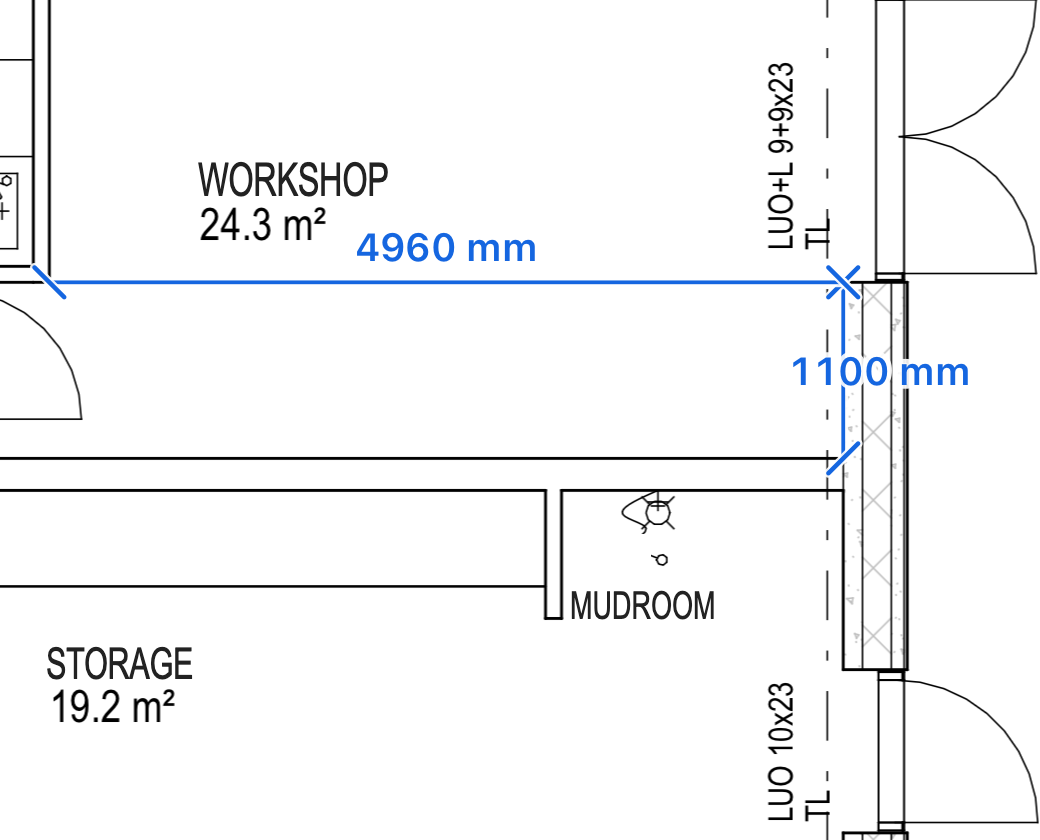
- Tap near a cornerthe point snaps onto it
- Tight spot? Drag insteada magnifier opens, so you can see where the point is going
- Lift when you feel the clickthe point is on the line
Built for one-handed work on site.
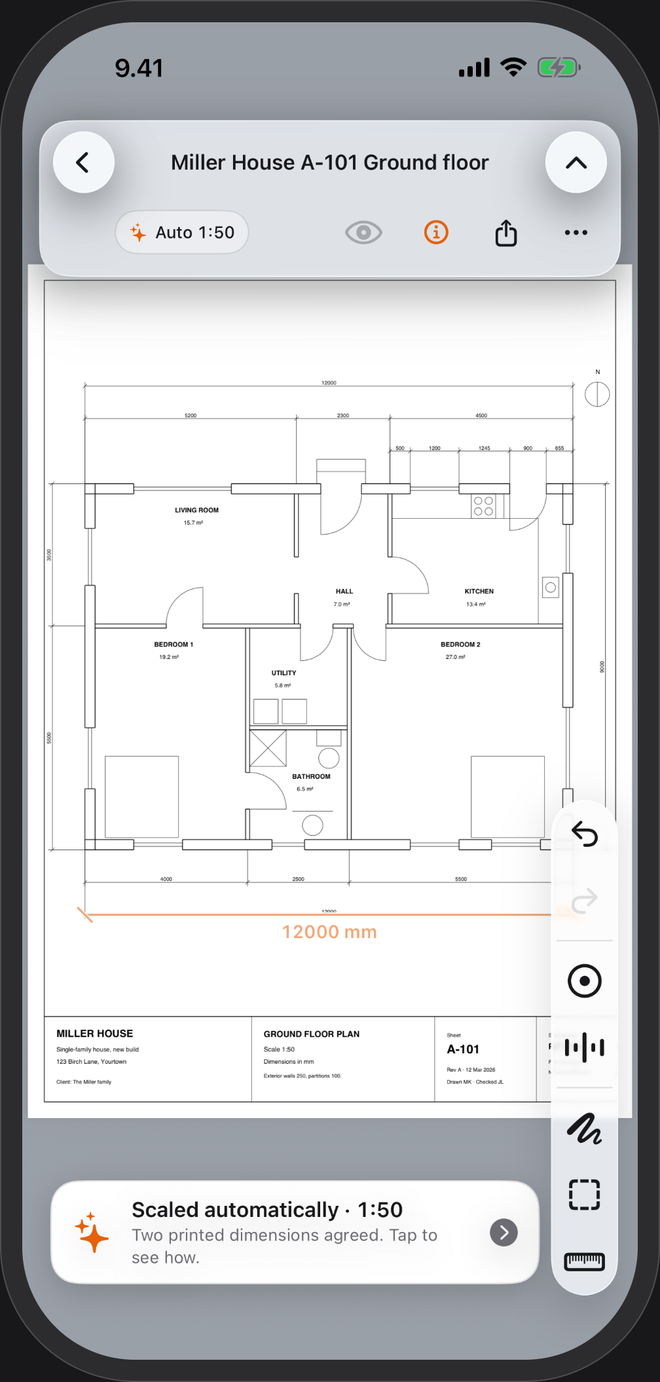
Opens to scale
It reads the dimensions the designer printed on the sheet and sets the scale as the plan opens. The scale card is tagged Auto; tap it and it shows you the dimension it trusted, so you can judge it yourself.
No printed dimensions? Trace one
Drag along a length you know, type it, and the sheet is to scale — the way you would check a print with a scale rule, without the rule.
Lands on the drawing's own points
Corners, line ends and the crossings of the drawing's lines. A magnifier while you drag, a click you can feel when it locks on.
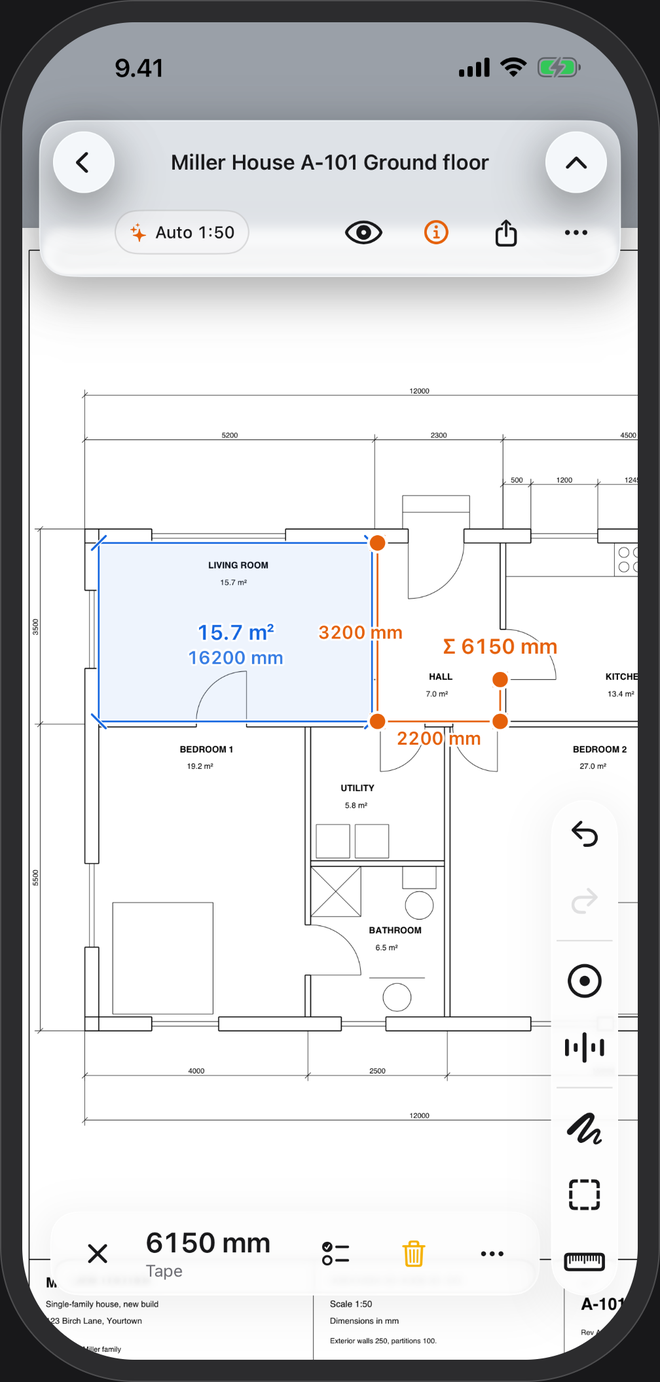
Runs, areas, free shapes
Every segment labelled with a running total, areas with their side lengths, and a quick tape that leaves no mark. Millimetres and metres, or feet and fractional inches.
Check the build against the plan
Name a measurement, give it a nominal size and a tolerance, and read PASS or FAIL.
Mark it up and hand it on
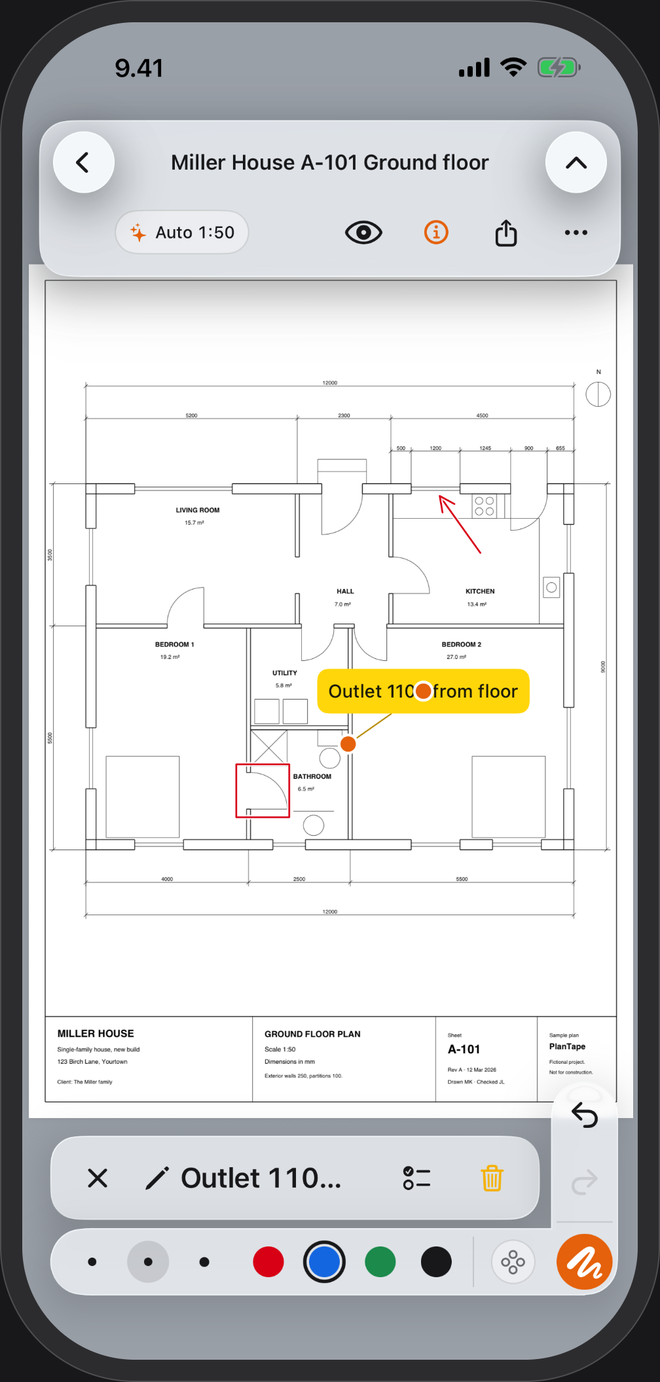
Arrows, shapes and sticky notes that snap to the same lines the tape does. Share a flattened PDF, an image, or a take-off summary as CSV or a one-page PDF.
Every PDF you open stays in a library on your phone with its measurements and notes. Nothing is uploaded. The app sends pseudonymous usage counts to help improve it — switch them off in Settings → About → Privacy.
From PDF to take-off in three steps.
Open a plan
Straight from Files, Mail or another app. Vector PDFs — the kind exported from CAD — get automatic scale and snapping. Scanned sheets open too: set the scale yourself and measure freely.
Check the scale
Usually it is already set and tagged Auto. Tap it to see which printed dimension it used, and say yes or set your own.
Measure, mark, share
Runs, areas and free shapes, notes and arrows on top, then a flattened PDF or a take-off summary through the share sheet.
What are you measuring?
Missing dimensions
Read the length the plan never printed.
Read more →Room areas
Square metres and running metres off the plan.
Read more →Drawing scale
What 1:50 means, and how the scale gets set.
Read more →Check your builder
Your own plans, your own numbers.
Read more →Takeoffs on site
Runs, areas and a summary for the office.
Read more →Feet and inches
US plans at 1/4″ = 1′-0″ and friends.
Read more →Scale ruler
Any ratio, straight off the PDF.
Read more →Site plans
Distances, fence runs and plot areas.
Read more →Mark up plans
Arrows and notes, sent back as a PDF.
Read more →See the snap.