
A scale ruler for every drawing in your phone.
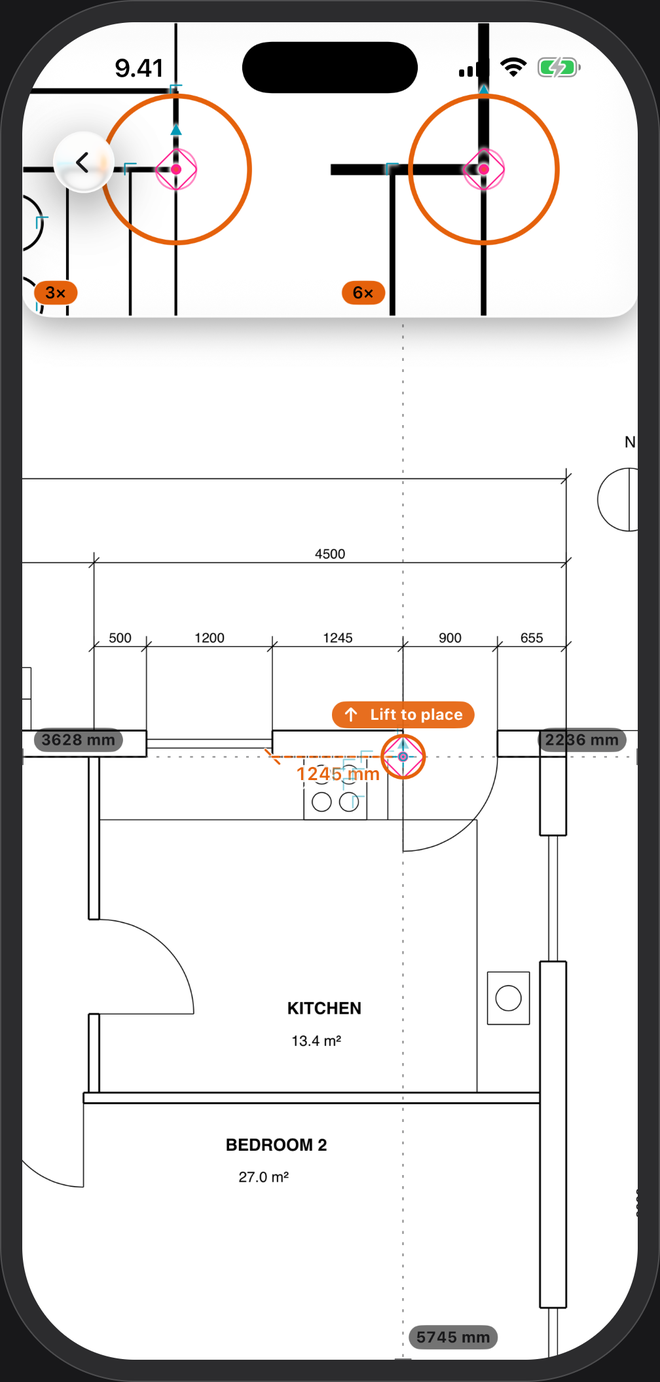
A scale rule carries six ratios and needs a print at the size the drawing was made for. PlanTape works at any ratio, straight off the PDF: tap two points and read the length in millimetres or feet and inches. No ticks to count.
No account · No cloud · Works offline · iPhone, iOS 26+
Scale rule or phone?
| Scale rule | PlanTape | |
|---|---|---|
| Ratios | The six on its faces | Any 1:N |
| Print size | Must match the original sheet | Doesn't matter — it measures the PDF |
| Reading | Count ticks, convert | The length, in mm, m or feet and inches |
| Ten lengths | Ten notes on a pad | Ten labels on the plan, runs totalled |
| Areas | A calculator | Area and perimeter as you trace |
Set the ratio once, then just measure
- Open the PDFOn a CAD-exported plan the scale is read from the dimensions printed on the sheet as it opens. How that works →
- Or set it yourselfTap the scale card: pick 1:50, 1:75, 1:100, 1:200 or 1:500, type any other ratio, or trace a dimension you know and type its length.
- Tap two pointsNear a corner, line end or crossing, the point lands on it. The length appears on the plan and stays there.
One thing a scale rule still does better: a paper print on the table. PlanTape measures PDFs, not paper. If all you have is the print, scan it to PDF, set the scale from a length you know, and measure freely.
Questions
Which scales can I use?
Any 1:N ratio. The common ones are one tap away; type anything else. A US architectural scale is the same idea: 1/4″ = 1′-0″ is 1:48, and plans with feet-and-inch dimensions are read automatically. Feet and inches →
Does my screen size or zoom change the numbers?
No. The scale belongs to the drawing, not to the screen, so you can zoom in as far as you need for the point you're placing.
Can each page have its own scale?
Yes. In a drawing set every page keeps its own, so a 1:100 plan and a 1:20 detail in one PDF both measure right.
How exact is it?
As exact as the drawing and its scale. Check the scale against a second printed dimension, and check critical dimensions on site before you cut.